Backing up 3 seeds takes 90 screens on stock SeedSigner and 24 on ShieldSigner. Everything else is identical.
Both firmwares build the same 2-of-3 multisig wallet. We ran the whole setup on each and photographed every screen, 166 of them.
Stock SeedSigner is the firmware a plain SeedSigner runs. ShieldSigner is a fork of it, and the difference that matters here is that it can write a seed to a smartcard.
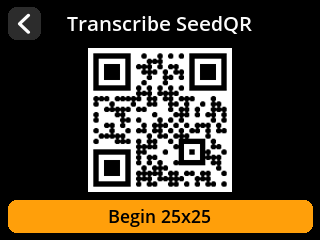
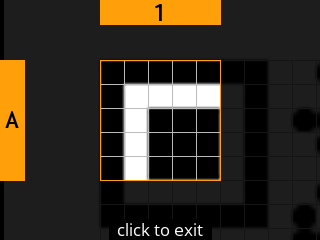
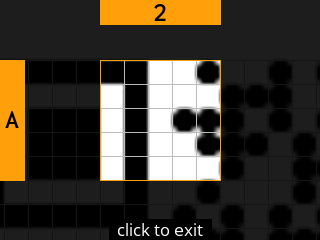
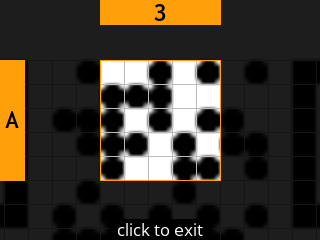
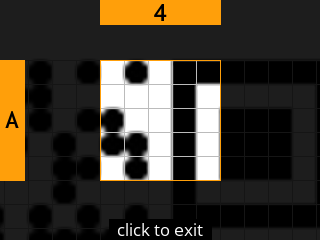
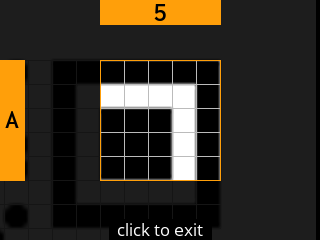
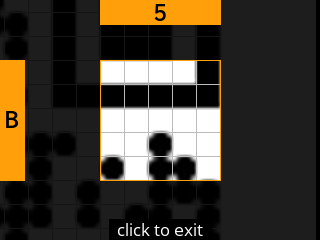
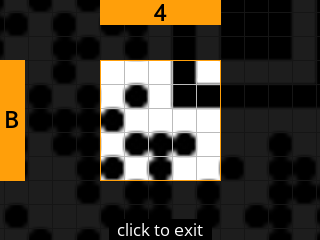
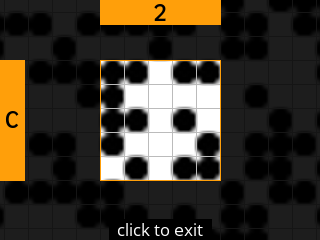
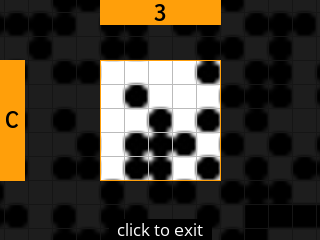
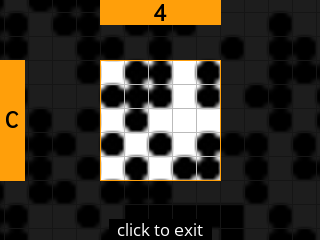
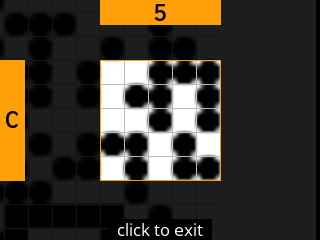
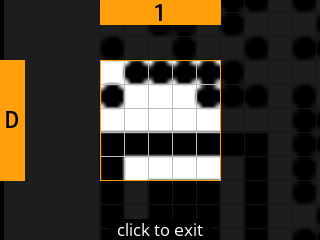
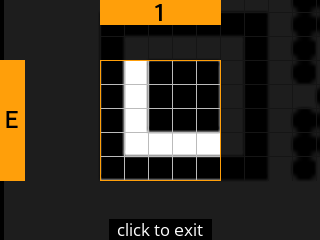
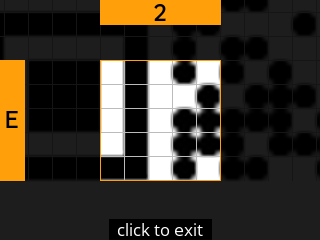
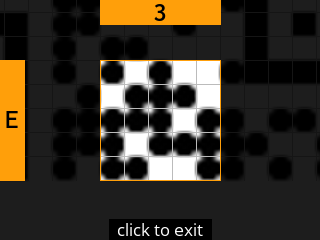
Backing up a seed on stock SeedSigner means writing it down as a QR. The device shows you a 25 square grid, one magnified square at a time, and you copy each square by hand onto something that will survive. That is about 15 minutes per seed, so roughly 45 minutes for a 2-of-3.
On ShieldSigner you put a card in, choose a PIN, and the seed is on the card.
Counted in screens, for the whole 2-of-3:
stock
ShieldSigner
A: Make 3 seeds
40
40
B: Back up 3 seeds
90
24
C: Export 3 public keys & build wallet
19
19
D: Review and sign
14
14
Whole 2-of-3, total
163
97
Only backing up differs, by 66 screens. Every step is below, in order, so this doubles as a guide to setting up a 2-of-3 properly.
How this was done
Both runs happened in the browser simulator, which runs the real SeedSigner firmware. Each device created its own seed, as it would in real use. Nothing here touches real money: these seeds were thrown away and must never hold funds.
Each device made its own seed, so the fingerprints on screen differ. The screens themselves are what is being compared.
A: Make 3 seeds
Identical on both. The device takes a photograph, turns the noise in it into a seed, shows you the twelve words and asks you to confirm you have them.
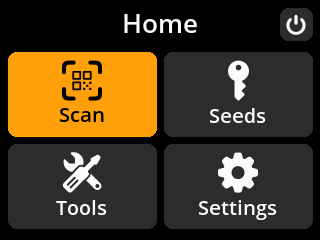
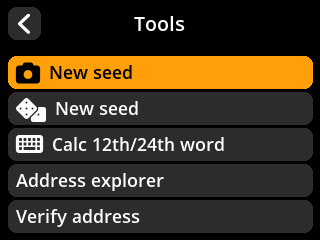
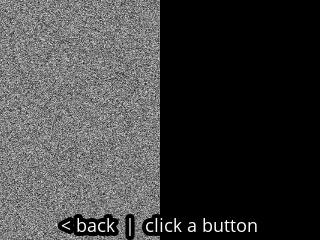
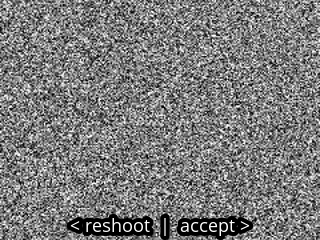
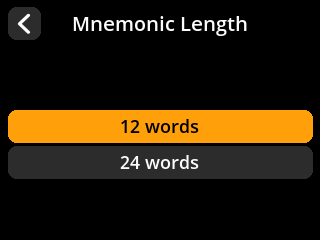
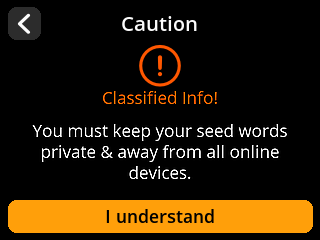
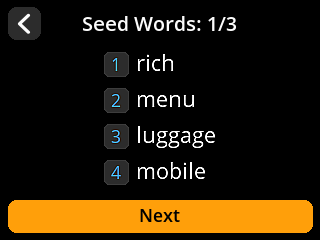
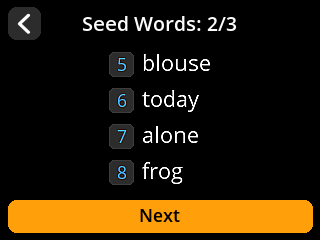
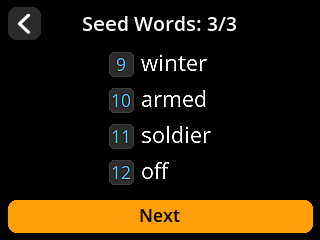
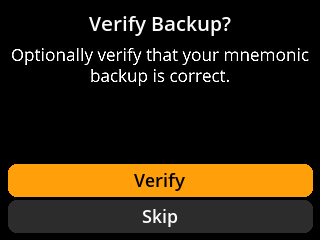
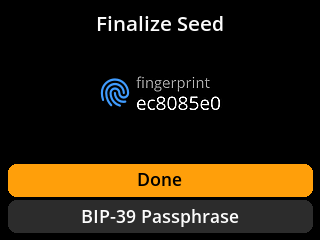
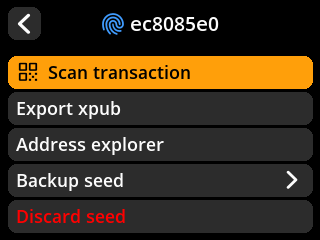
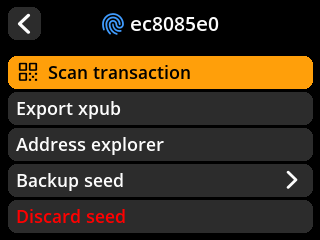
Step 1 · homeBoth devices start a fresh Testnet session.Same screen class on both firmwares.Step 2 · seed-1-toolsTools offers New seed from an image.Same screen class on both firmwares.Step 3 · seed-1-cameraThe camera preview supplies image entropy for a new seed.Same screen class on both firmwares.Step 4 · seed-1-imageReview the captured image before accepting it.Same screen class on both firmwares.Step 5 · seed-1-lengthChoose the number of seed words; 12 words is selected.Same screen class on both firmwares.Step 6 · seed-1-word-warningThe device warns that the seed words must remain private.Same screen class on both firmwares.Step 7 · seed-1-words-1Read seed words 1 to 4.Same screen class on both firmwares.Step 8 · seed-1-words-2Read seed words 5 to 8.Same screen class on both firmwares.Step 9 · seed-1-words-3Read seed words 9 to 12.Same screen class on both firmwares.Step 10 · seed-1-word-checkThe device offers to check the written seed-word backup; this run will skip the word quiz and use the selected backup method next.Same screen class on both firmwares.Step 11 · seed-1-finalizeReview the new seed fingerprint and optional passphrase choices; no passphrase is added.Same screen class on both firmwares.Step 12 · seed-1-loadedThe newly created seed is loaded; its action menu includes Backup seed.Same screen class on both firmwares.
B: Back up 3 seeds
This is the only phase where the two differ.
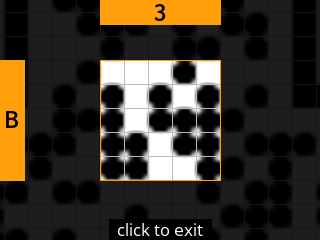
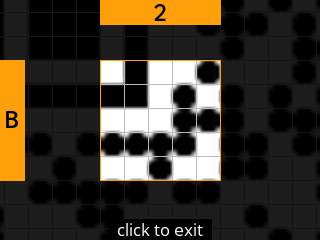
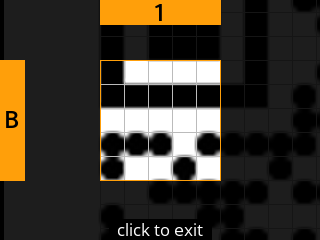
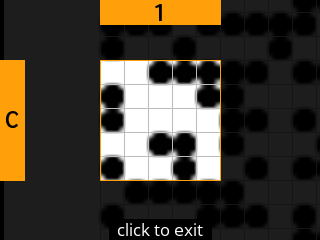
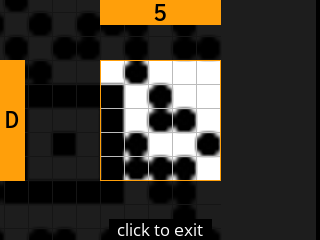
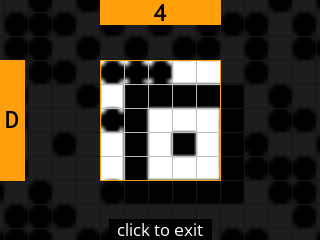
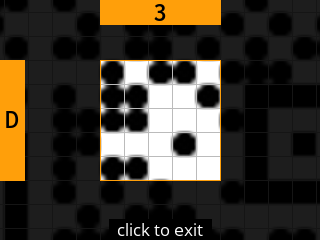
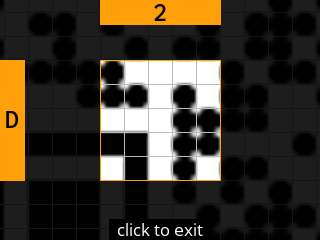
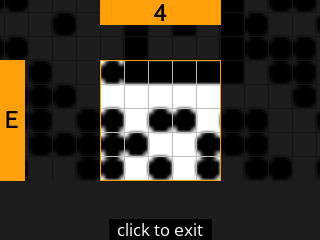
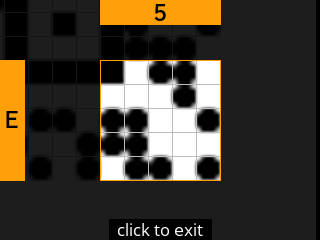
Per seed, stock SeedSigner takes 30 screens. 5 are choices and warnings. The other 25 are the QR, one magnified square at a time, each copied by hand. About 15 minutes of copying per seed. Three seeds, so 90 screens and 75 squares, roughly 45 minutes.
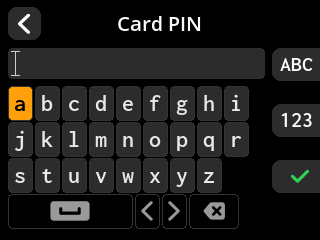
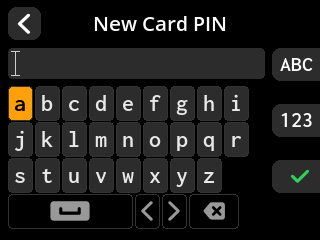
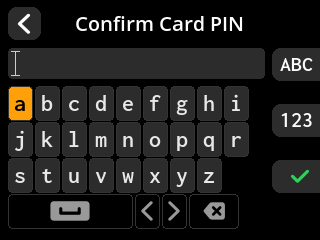
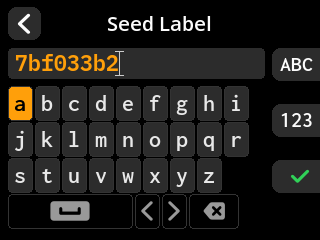
ShieldSigner takes 8 screens per seed, 24 for all three. The card says it is blank, you pick a PIN, you confirm it, you accept the label, the seed is on the card.
Both are real backups. QR codes carry error correction and SeedQR uses level L, so a few wrong dots are recoverable, and the device will scan your copy back to check it. The cost is the time, not the risk.
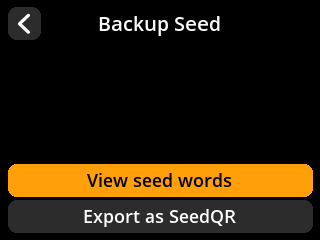
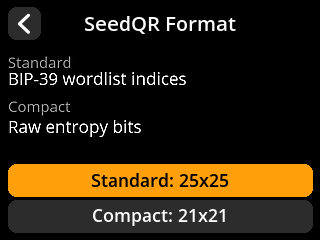
Step 13 · seed-1-backupBoth devices show Backup Seed. Stock offers View seed words and Export as SeedQR; ShieldSigner also offers To SeedKeeper and Export as Plaintext QR.Same screen class on both firmwares.Step 14 · seed-1-backup-methodStock asks Standard or Compact SeedQR, with Standard selected. ShieldSigner asks for the PIN of the inserted SeedKeeper.
stock SeedSigner
ShieldSigner
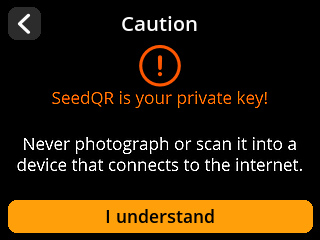
Step 15 · seed-1-qr-warningStock warns that the SeedQR contains the private seed and must not be shared.
stock SeedSigner
ShieldSigner: no equivalent step in this backup route.
Step 16 · seed-1-qr-wholeStock shows the complete Standard SeedQR and Begin 25x25 before transcription.
stock SeedSigner
ShieldSigner: no equivalent step in this backup route.
Step 17 · seed-1-qr-zone-A-1Stock magnifies square A-1 of the 25-square Standard SeedQR transcription grid.
stock SeedSigner
ShieldSigner: no equivalent step in this backup route.
Step 18 · seed-1-qr-zone-A-2Stock magnifies square A-2 of the 25-square Standard SeedQR transcription grid.
stock SeedSigner
ShieldSigner: no equivalent step in this backup route.
Step 19 · seed-1-qr-zone-A-3Stock magnifies square A-3 of the 25-square Standard SeedQR transcription grid.
stock SeedSigner
ShieldSigner: no equivalent step in this backup route.
Step 20 · seed-1-qr-zone-A-4Stock magnifies square A-4 of the 25-square Standard SeedQR transcription grid.
stock SeedSigner
ShieldSigner: no equivalent step in this backup route.
Step 21 · seed-1-qr-zone-A-5Stock magnifies square A-5 of the 25-square Standard SeedQR transcription grid.
stock SeedSigner
ShieldSigner: no equivalent step in this backup route.
Step 22 · seed-1-qr-zone-B-5Stock magnifies square B-5 of the 25-square Standard SeedQR transcription grid.
stock SeedSigner
ShieldSigner: no equivalent step in this backup route.
Step 23 · seed-1-qr-zone-B-4Stock magnifies square B-4 of the 25-square Standard SeedQR transcription grid.
stock SeedSigner
ShieldSigner: no equivalent step in this backup route.
Step 24 · seed-1-qr-zone-B-3Stock magnifies square B-3 of the 25-square Standard SeedQR transcription grid.
stock SeedSigner
ShieldSigner: no equivalent step in this backup route.
Step 25 · seed-1-qr-zone-B-2Stock magnifies square B-2 of the 25-square Standard SeedQR transcription grid.
stock SeedSigner
ShieldSigner: no equivalent step in this backup route.
Step 26 · seed-1-qr-zone-B-1Stock magnifies square B-1 of the 25-square Standard SeedQR transcription grid.
stock SeedSigner
ShieldSigner: no equivalent step in this backup route.
Step 27 · seed-1-qr-zone-C-1Stock magnifies square C-1 of the 25-square Standard SeedQR transcription grid.
stock SeedSigner
ShieldSigner: no equivalent step in this backup route.
Step 28 · seed-1-qr-zone-C-2Stock magnifies square C-2 of the 25-square Standard SeedQR transcription grid.
stock SeedSigner
ShieldSigner: no equivalent step in this backup route.
Step 29 · seed-1-qr-zone-C-3Stock magnifies square C-3 of the 25-square Standard SeedQR transcription grid.
stock SeedSigner
ShieldSigner: no equivalent step in this backup route.
Step 30 · seed-1-qr-zone-C-4Stock magnifies square C-4 of the 25-square Standard SeedQR transcription grid.
stock SeedSigner
ShieldSigner: no equivalent step in this backup route.
Step 31 · seed-1-qr-zone-C-5Stock magnifies square C-5 of the 25-square Standard SeedQR transcription grid.
stock SeedSigner
ShieldSigner: no equivalent step in this backup route.
Step 32 · seed-1-qr-zone-D-5Stock magnifies square D-5 of the 25-square Standard SeedQR transcription grid.
stock SeedSigner
ShieldSigner: no equivalent step in this backup route.
Step 33 · seed-1-qr-zone-D-4Stock magnifies square D-4 of the 25-square Standard SeedQR transcription grid.
stock SeedSigner
ShieldSigner: no equivalent step in this backup route.
Step 34 · seed-1-qr-zone-D-3Stock magnifies square D-3 of the 25-square Standard SeedQR transcription grid.
stock SeedSigner
ShieldSigner: no equivalent step in this backup route.
Step 35 · seed-1-qr-zone-D-2Stock magnifies square D-2 of the 25-square Standard SeedQR transcription grid.
stock SeedSigner
ShieldSigner: no equivalent step in this backup route.
Step 36 · seed-1-qr-zone-D-1Stock magnifies square D-1 of the 25-square Standard SeedQR transcription grid.
stock SeedSigner
ShieldSigner: no equivalent step in this backup route.
Step 37 · seed-1-qr-zone-E-1Stock magnifies square E-1 of the 25-square Standard SeedQR transcription grid.
stock SeedSigner
ShieldSigner: no equivalent step in this backup route.
Step 38 · seed-1-qr-zone-E-2Stock magnifies square E-2 of the 25-square Standard SeedQR transcription grid.
stock SeedSigner
ShieldSigner: no equivalent step in this backup route.
Step 39 · seed-1-qr-zone-E-3Stock magnifies square E-3 of the 25-square Standard SeedQR transcription grid.
stock SeedSigner
ShieldSigner: no equivalent step in this backup route.
Step 40 · seed-1-qr-zone-E-4Stock magnifies square E-4 of the 25-square Standard SeedQR transcription grid.
stock SeedSigner
ShieldSigner: no equivalent step in this backup route.
Step 41 · seed-1-qr-zone-E-5Stock magnifies square E-5 of the 25-square Standard SeedQR transcription grid.
stock SeedSigner
ShieldSigner: no equivalent step in this backup route.
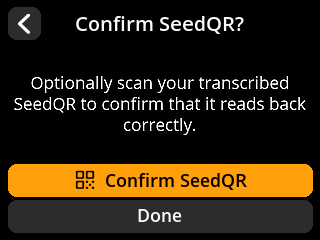
Step 42 · seed-1-qr-confirmStock offers Confirm SeedQR or Done after all 25 squares. This capture uses Done without scanning a hand-transcribed copy.
stock SeedSigner
ShieldSigner: no equivalent step in this backup route.
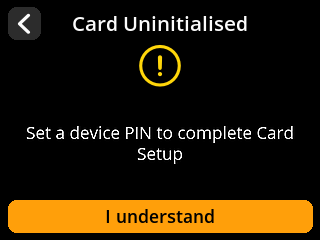
Step 43 · seed-1-card-blankShieldSigner reports Card Uninitialised and asks to set a PIN.
stock SeedSigner: no equivalent step in this backup route.
ShieldSigner
Step 44 · seed-1-card-new-pinShieldSigner asks for a new PIN for the blank SeedKeeper.
stock SeedSigner: no equivalent step in this backup route.
ShieldSigner
Step 45 · seed-1-card-confirm-pinShieldSigner asks to confirm the new SeedKeeper PIN.
stock SeedSigner: no equivalent step in this backup route.
ShieldSigner
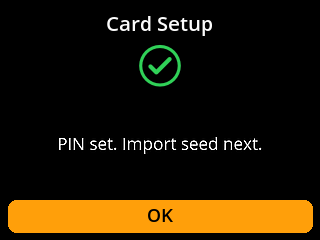
Step 46 · seed-1-card-initializedShieldSigner confirms the PIN is set and seed import can proceed.
stock SeedSigner: no equivalent step in this backup route.
ShieldSigner
Step 47 · seed-1-card-labelShieldSigner offers the seed fingerprint as the label for the card backup.
stock SeedSigner: no equivalent step in this backup route.
ShieldSigner
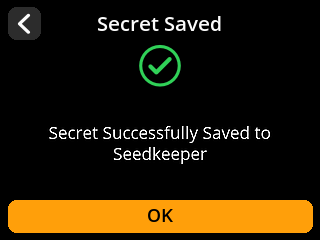
Step 48 · seed-1-card-savedShieldSigner confirms Secret Saved on SeedKeeper A.
stock SeedSigner: no equivalent step in this backup route.
ShieldSigner
Step 49 · seed-1-readyBoth devices return to seed options after their chosen backup route; the created seeds remain loaded.Same screen class on both firmwares.
The other two seeds
A 2-of-3 needs 3 seeds, so everything above happens 3 times. The repeats are not shown in full. Where a run repeats earlier work, a line says which steps it repeats.
C and D: Export 3 public keys, build wallet, review and sign
From here the two stop differing. Reading the public keys off the device, assembling the 2-of-3, checking the transaction and signing it twice: same screens, same order, on both.
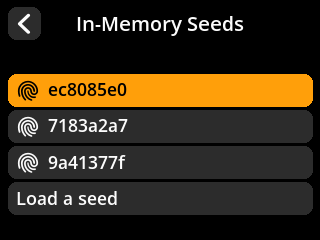
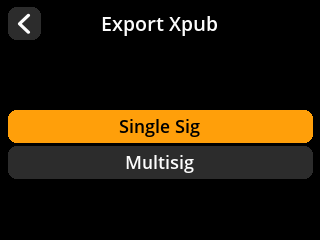
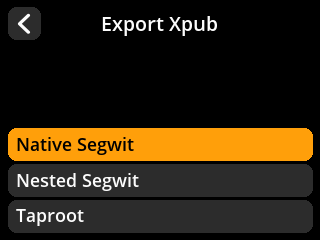
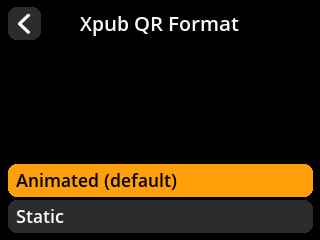
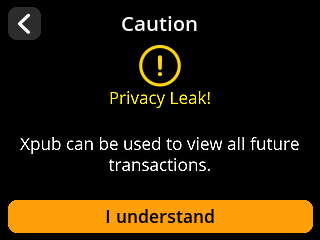
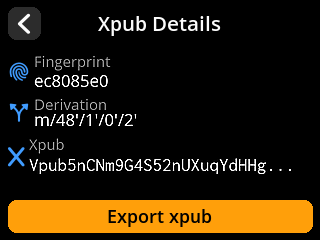
Step 146 · key-1-seed-listThe loaded-seed list contains all three created seeds; choose seed 1.Same screen class on both firmwares.Step 147 · key-1-signature-typeChoose the signature type for the account key export.Same screen class on both firmwares.Step 148 · key-1-script-typeChoose Native Segwit for the multisig account.Same screen class on both firmwares.Step 149 · key-1-qr-formatChoose the account key QR format; select Static QR next.Same screen class on both firmwares.Step 150 · key-1-privacyReview the warning that sharing an account key exposes wallet activity.Same screen class on both firmwares.Step 151 · key-1-detailsReview the multisig account key at m/48'/1'/0'/2'.Same screen class on both firmwares.Step 152 · key-1-qrThe device displays the multisig account key as a static QR.Same screen class on both firmwares.
Steps 153 to 159 repeat steps 146 to 152 for seed 2.
Steps 160 to 166 repeat steps 146 to 152 for seed 3.
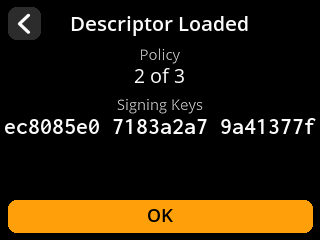
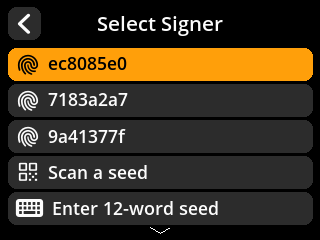
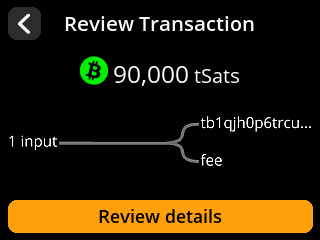
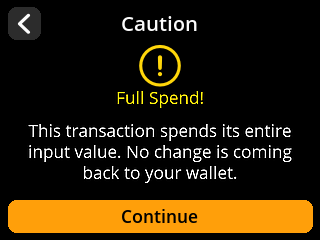
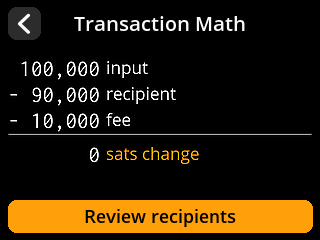
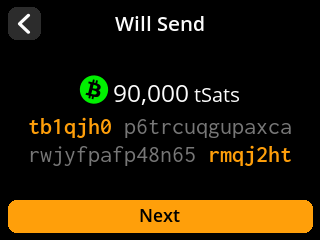
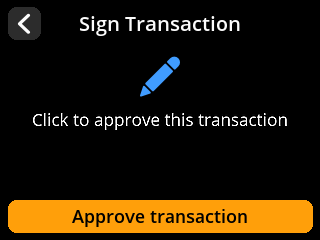
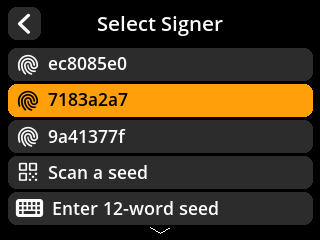
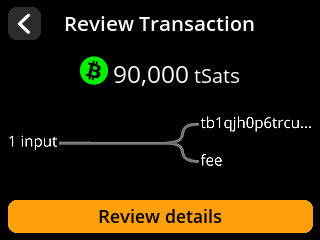
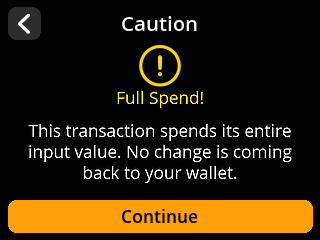
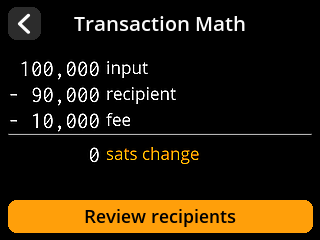
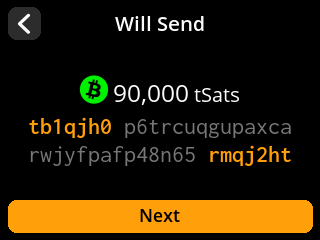
Step 167 · descriptor-reviewReview the 2-of-3 policy and the three fingerprints from this firmware session.Same screen class on both firmwares.Step 168 · sign-1-selectChoose loaded seed 1 to sign this session's fabricated transaction.Same screen class on both firmwares.Step 169 · sign-1-overviewReview the multisig transaction overview.Same screen class on both firmwares.Step 170 · sign-1-full-spendReview the warning that this transaction has no change output.Same screen class on both firmwares.Step 171 · sign-1-mathReview 100000 sats in, 90000 sats to the recipient, and a 10000 sat fee.Same screen class on both firmwares.Step 172 · sign-1-recipientReview the fabricated recipient address and amount.Same screen class on both firmwares.Step 173 · sign-1-approveThe device asks for approval to sign the multisig transaction.Same screen class on both firmwares.Step 174 · sign-1-qrThe device displays its signed PSBT as an animated QR.Same screen class on both firmwares.Step 175 · sign-2-selectChoose loaded seed 2 to sign this session's fabricated transaction.Same screen class on both firmwares.Step 176 · sign-2-overviewReview the multisig transaction overview.Same screen class on both firmwares.Step 177 · sign-2-full-spendReview the warning that this transaction has no change output.Same screen class on both firmwares.Step 178 · sign-2-mathReview 100000 sats in, 90000 sats to the recipient, and a 10000 sat fee.Same screen class on both firmwares.Step 179 · sign-2-recipientReview the fabricated recipient address and amount.Same screen class on both firmwares.Step 180 · sign-2-approveThe device asks for approval to sign the multisig transaction.Same screen class on both firmwares.Step 181 · sign-2-qrThe device displays its signed PSBT as an animated QR.Same screen class on both firmwares.
What this means if you are choosing
ShieldSigner does not change how multisig works. Same ceremony, same keys, same descriptor, same signatures, and the screens show it.
What it changes is backing up. 75 squares copied by hand across 3 seeds, about 45 minutes, and it is the job people put off.
That is the thing to weigh. Not the signing, not the wallet, not the addresses. The backup.
You can run either firmware yourself in the browser simulator and press the same buttons, with no hardware and nothing installed.